How vibrating screen noise reveals possible operating problems
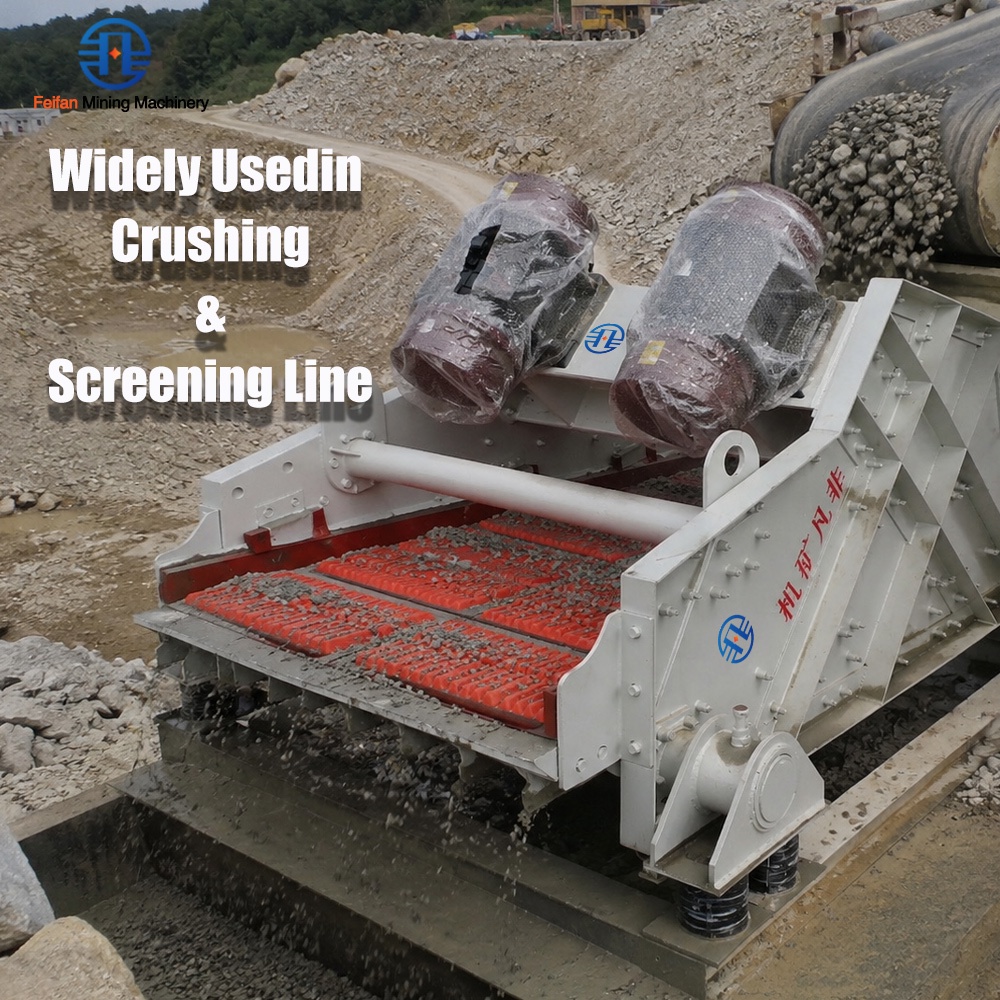
During a routine shift, a Vibrating Screen may begin to sound different long before anyone sees an obvious mechanical fault. The normal operating hum becomes a sharp metallic rattle, a repeating knock develops at one end of the machine, or the vibration suddenly feels louder through the platform and guarding. It is easy to dismiss this as the usual noise of aggregate production, especially when material is moving and output appears stable.
That approach can create avoidable risk. A change in sound may be the first visible clue of a loose bolt, damaged bearing, cracked support member, worn screen media, poor lubrication, or an operating condition that is forcing the machine beyond its intended balance. Left unresolved, the issue can lead to unplanned stoppage, reduced screening accuracy, falling components, or damage to nearby conveyors and feed equipment. The useful question is not simply “Is the screen loud?” but “What kind of noise has changed, when does it occur, and what mechanical condition could produce it?”
Start by separating normal vibration from abnormal sound
A working screening machine naturally generates vibration, impact noise from material, and a steady mechanical tone from the drive system. These sounds usually remain consistent from shift to shift under similar feed conditions. Abnormal noise often has a different character: it appears suddenly, grows over time, occurs only during startup or shutdown, or changes when the feed rate changes.
Before opening guards or touching the machine, observe it from a safe distance while it is operating. Note whether the sound comes from the drive side, spring supports, screen deck, discharge end, or adjacent chute work. It also helps to record the sound from the same location on separate shifts. A short recording does not replace inspection, but it can make gradual changes easier to compare and communicate.
Do not assume the loudest point is the source. Vibration can transmit through steelwork, handrails, chutes, and conveyor structures. A rattle heard near the discharge chute may be caused by a loose deck fastener several meters away.
When the sound is a sharp metallic rattle
A rapid metallic rattle is commonly associated with loose hardware or parts that are contacting each other during vibration. Screen panel clamps, tensioning bolts, side plate fasteners, motor mounting bolts, guard hardware, and chute liners all deserve attention. In some cases, a panel that is not fully seated can move against its support rails and create a repetitive striking sound.
After isolating the equipment according to site procedures, inspect fastening points for missing nuts, damaged threads, polished contact marks, and gaps around clamps or brackets. Bright, freshly exposed metal is often a useful clue: it can show where two parts have been rubbing. Check nearby guarding as well. A loose guard can create a dramatic noise while hiding the more important issue of a loose drive component behind it.
Fasteners should be tightened using the applicable equipment specification, not by repeated over-tightening. Excessive tightening can damage threads, distort components, or make later inspection harder. If bolts repeatedly loosen, look beyond the bolt itself. Incorrect vibration amplitude, damaged mounting surfaces, elongated holes, and fatigue around the joint can all prevent a connection from staying secure.
A low rumble or growl often points toward the drive system
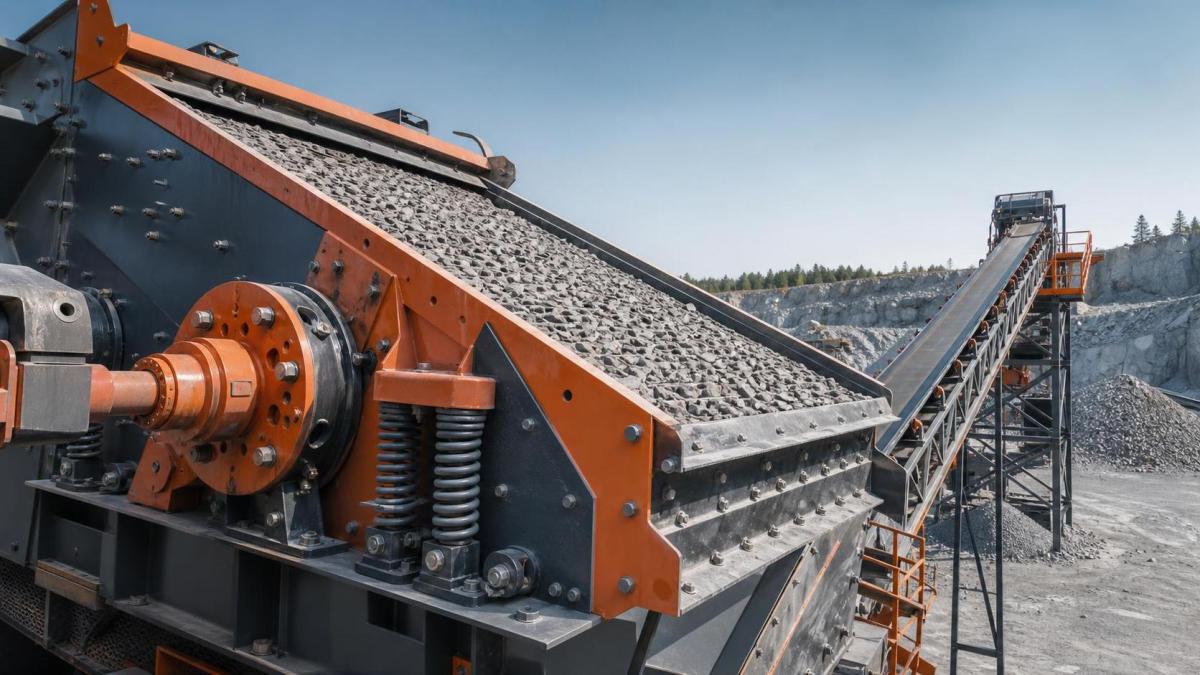
A deeper rumbling sound that becomes more pronounced as the machine reaches operating speed can indicate bearing distress, inadequate lubrication, contamination, or misalignment in the drive arrangement. Depending on the screen design, the source may be an exciter bearing, motor bearing, coupling, pulley, or drive shaft component.
Temperature is an important companion signal. If one bearing housing is noticeably hotter than the comparable point on the opposite side, treat that as a reason for closer investigation. Grease leakage, darkened lubricant, unusual odor, or fine metallic debris near the housing may also support a bearing-related diagnosis. However, adding grease without confirming the lubrication requirement can make the situation worse. Both insufficient lubrication and over-greasing can raise bearing temperature and produce abnormal running behavior.
Inspect the drive components only after the machine has been safely stopped and isolated. Look for belt wear, pulley misalignment, coupling damage, loose motor feet, and evidence that the drive is moving on its mount. If bearing damage is suspected, continued operation should be decided conservatively. A failing bearing can progress from noise to seizure, with secondary damage to shafts, housings, and the screen structure.
Knocking during startup, shutdown, or changing feed conditions
Some noises are most obvious when the Vibrating Screen passes through startup and shutdown. A brief change in sound as the machine moves through its natural frequency range may be expected on certain installations. A hard knock, repeated collision, or movement that appears excessive is not something to normalize.
Inspect the support springs, rubber mounts, spring seats, and supporting structure. Broken coils, shifted springs, collapsed rubber elements, worn seats, or uneven support height can allow the screen body to move out of its normal path. This may cause contact with chutes, skirts, handrails, cable trays, or fixed guards. The same problem can also reduce screening efficiency because the deck is no longer moving as intended.
Feed conditions matter here. A heavily loaded screen, a sudden surge of oversize material, or uneven loading across the feed box can create impact noise and unstable motion. If the sound becomes severe only when feed is introduced, inspect the feed chute alignment, distribution plate, material trajectory, and the condition of impact sections. The objective is to place material onto the deck in a controlled manner rather than allowing it to strike one local area or overload one side.
Screen media noise can be a production-quality issue
A ringing deck, panel slap, or intermittent clacking can come from worn or incorrectly installed screening media. Steel wire mesh may lose tension; polyurethane panels may wear at their locking points; support rails can become damaged; and retaining systems can lose their grip. These faults are not only mechanical concerns. Open gaps, lifted panel edges, or damaged apertures can allow oversize material to bypass the intended separation path.
During a shutdown inspection, examine panel seating, tension, hook condition, rail wear, and the area around joints between panels. Look for movement marks, broken cross wires, cracks, torn edges, and material packing under the media. If a panel has been replaced recently, confirm that the type, size, and fastening method suit the deck arrangement. A panel that appears to fit may still move excessively if its locking geometry does not match the support system.
It is also worth checking whether wet, sticky, or unusually abrasive feed has changed the maintenance interval. Noise that begins after a material change may be a sign of blinding, buildup, accelerated wear, or impact conditions that were not present with the previous feed.
Trace the problem beyond the screen itself
A screening machine rarely operates alone. Feeders, transfer chutes, discharge conveyors, and structural steel can all contribute to noise or transfer vibration back into the screen. For example, an apron feeder with worn chain or impact components may create a regular shock that is mistaken for a screen fault. Where coarse material is being introduced into an open-air quarry circuit, feed stability and component durability should be considered together. Equipment such as the FEIFAN Low Failure Rate TDG-10 Apron Feeder With Heat Resistant Components For Long Time Running In Open Air Quarry Environments Apron Feeder may be relevant when reviewing the upstream feeding arrangement and the way material reaches the screening stage.
Look for contact points between stationary and moving equipment. Chutes set too close to the side plates, flexible connections that have hardened or torn, and conveyor structures sharing an inadequately isolated support can all produce misleading noises. If the noise remains after the screen is stopped but an upstream or downstream machine is still running, the screen may not be the original source.
Use a controlled response instead of a quick guess
When unusual sound is reported, begin with operating observations: machine load, feed distribution, time of occurrence, location, and whether the sound changes with speed. Then arrange a safe inspection focused on the likely source. Correct the verified fault, restart under controlled conditions, and listen again under both empty and loaded operation where appropriate.
After the repair, do not stop at “the noise is gone.” Confirm that the machine is running evenly, the deck is clear of fixed structures, fasteners remain secure, and the material flow is distributed across the screening surface. If the same noise returns shortly after adjustment, investigate root causes such as structural fatigue, incorrect drive settings, persistent feed imbalance, or unsuitable screen media rather than repeating the same repair.
Sound is not a complete diagnostic tool, but it is an effective early-warning signal. Treating a changed noise as useful operating information helps maintenance teams address small mechanical changes before they become equipment damage, screening-quality problems, or unsafe conditions around the plant.
Leave A Message
If you are interested in our products and want to know more details, please leave a message here, we will reply you as soon as we can.